
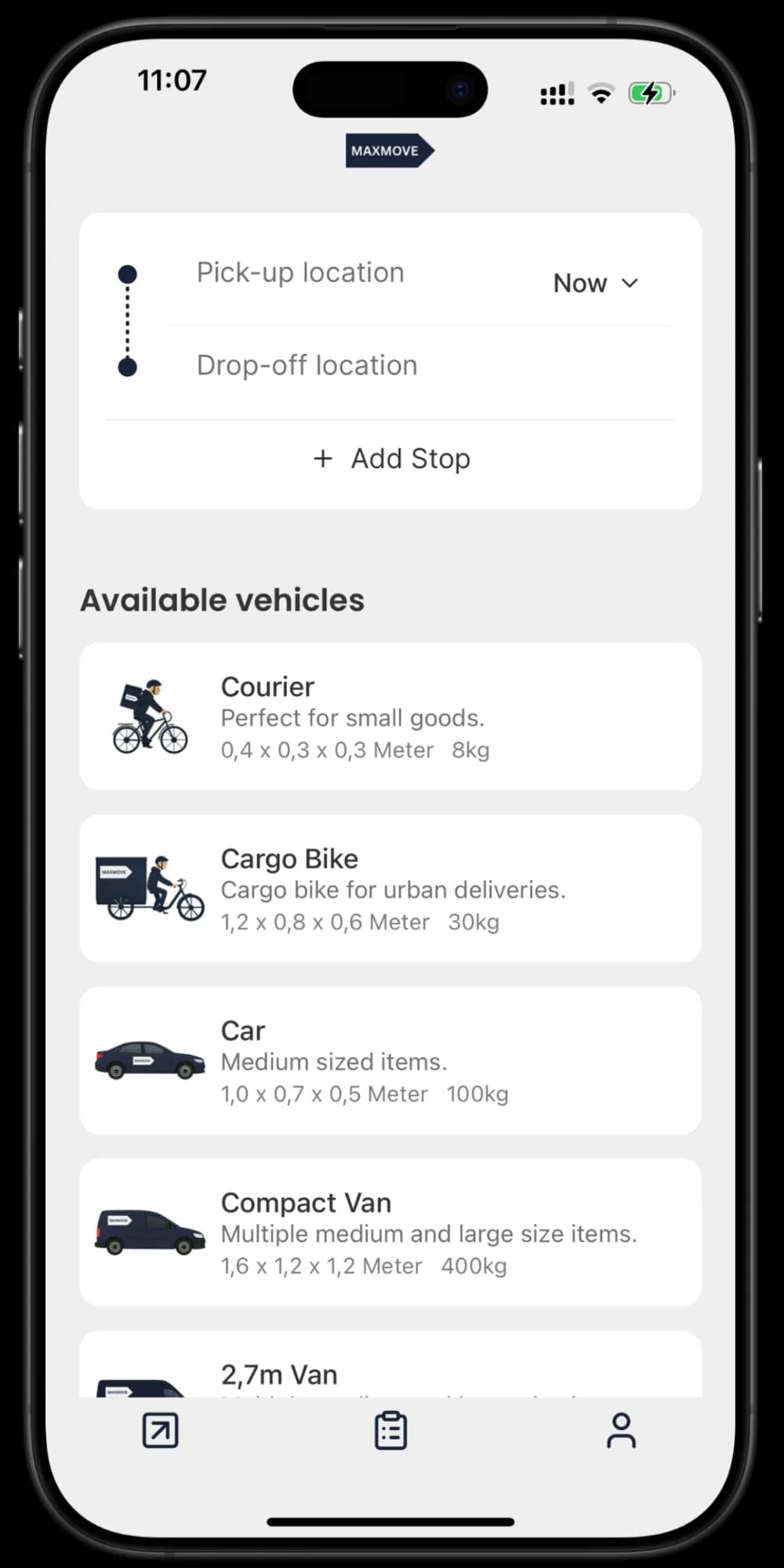
This guide explains the booking flow for your first delivery request: add stops, choose a vehicle, review pricing, and confirm.
What this is
Use this flow when you want to create a new pickup and drop-off order in the customer app.
What to provide
- Add pickup and drop-off addresses.
- Add extra stops if needed.
- Pick schedule date and time.
- Select a vehicle type and include delivery notes for handover.
What happens next
- The app shows an estimated price before checkout.
- After confirmation, dispatch starts assignment based on route and availability.
- You can track status from pending to assigned, in transit, and delivered.
If route details change after confirmation, assignment speed and final pricing can be adjusted.
Book with a connected fleet in the dashboard
If your workspace is connected to a fleet, you can select that fleet when reviewing a dashboard booking. Depending on the fleet's settings, checkout shows its binding price, an estimate, or a notice that the fleet will confirm the price. Review that price before submitting; an expired quote must be refreshed.
The fleet also decides whether it accepts scheduled pickup times and references. Checkout tells you when pickup will be as soon as possible or when your reference will not be sent.
Saved places
Save an address as Home, Work or a named place when confirming a stop. Saved places belong to the active workspace and appear in both the dashboard and customer app. Every business member can use the shared address book. Completing an order updates place usage and adds its final recipient to contact suggestions.